


Industrial-Router REX 100 WAN
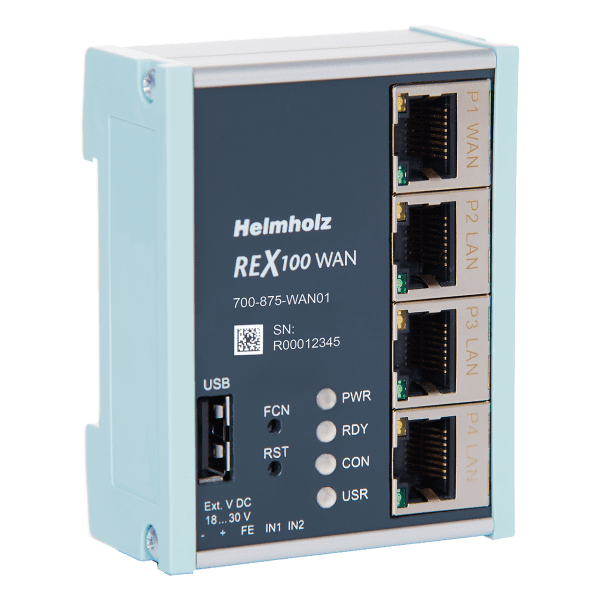
Ethernet participants, such as PLC control systems, can be reached with the REX 100 industrial routers, irrespective of the manufacturer.
Description
The REX 100 routers are systematically designed to operate in conjunction with the myREX24 V2 portal: All programming and remote maintenance is carried out exclusively through the portal.
With the digital inputs, alarms can be sent via the myREX24 V2 portal as SMS and e-mail.
The USB host port present in all devices enables the connection of USB devices (e.g. programming port of a drive) via the remote maintenance tunnel (USB-over-IP).
The REX 100 WAN is equipped with a WAN port with which the connection to the myREX 24 V2 portal is established. Additional Ethernet participants can be connected at the router to the other available RJ45 ports via the integrated 3-port switch. For data transmission, our industrial router uses an encrypted VPN tunnel on the basis of the secure OpenVPN protocol.
- Integrated firewall
- Digital inputs for establishing a connection and issuing alarms
- USB-over-IP
- Space-saving compact size
- Integrated 3-port LAN switch
- Secure OpenVPN remote maintenance access via myREX24 V2 portal
Additional information
| Feature Set | REX 100, REX 200, REX 250 |
|---|---|
| Mobile / Wireless Interface | LTE (EU & Asia), LTE (NAG), WiFi, Without |
| Interface WAN | without WAN, with WAN |
TECHNICAL SPECIFICATIONS
General information
- Order number: 700-875-WAN01
- Article name REX: 100 WAN, 3 x LAN (switch)/1 x WAN port
- Scope of delivery: REX 100 WAN, Quick Start Guide
- Dimensions (DxWxH): 32,5 x 58,5 x 76,5 mm
- Weight: Approx. 130 g
- Status indicator: 4 LEDs, function status, 8 LEDs, Ethernet status
- Voltage supply: 24 V DC, 18–30 V DC
- Power dissipation: Max. 2.4 W
I/O
- Amount: 2
- Type: 24 V (DC), as per DIN EN 61131-2 Type 2
WAN interface
- Number: 1
- Type: 10 Base-T/100 Base-T
- Connection: RJ45 socket
- Transmission: rate10/100 Mbps
LAN interface
- Number: 3
- Type: 10 Base-T/100 Base-T
- Connection: RJ45 socket
- Transmission rate: 10/100 Mbps
USB interface
- Protocol: USB 2.0 host
- Connection: USB A socket
Ambient conditions
- Ambient temperature: -40 °C … +75°C
- Transport and storage temperature: -40 °C … +85 °C
- Relative air humidity: 95 % r H without condensation
- Pollution degree: 2
- Protection rating: IP20
- Approvals: CE, UL
UL
- UL: UL 61010-1/ UL 61010-2-201
- Pollution degree: 2
- Voltage supply: DC 24 V (18 … 30 V DC, SELV and limited energy circuit)
- Altitude: Up to 2,000 m
- Temperature cable rating: 87 °C
Download
| Name | Version | Size | |
| for Portal myREX24 V2: Quick Start Guide, REX 100 | 13 | 1 MB | Download |
| for portal myREX24 V1: Quick Start Guide, REX 100 WAN | WiFi | 2 | 4 MB | Download |
| EG Declaration of Confirmity | 05-2016 | 37 KB | Download |
| Name | Version | Size | |
| Change Service – REX 3G to LTE, Whitepaper | 351 KB | Download | |
| myREX24 V2, Whitepaper Device transfer | 3 | 834 KB | Download |
| Name | Version | Size | |
| myREX24 virtual server – Machine data in your own hands | 07-2019 | 1 MB | Download |
| REX Ethernet-Router – Next Generation Remote Access | 06-2023 | 2 MB | Download |
| Form WAN router Configuration data myRex24 V2 – EN | 717 KB | Download | |
| Form WAN router Configuration data myRex24 V2 – CN | 2 MB | Download | |
| Form WAN router Configuration data myRex24 V2 – FR | 2 MB | Download |
| Name | Version | Size | |
| REX Ethernet Router, OpenSource license terms | 27 KB | Download |
| Name | Version | Size | |
| REX 100, Firmware | 2.2.11 | 14 MB | Download |
| REX 100, Firmware Changelog | 2.2.11 | 18 KB | Download |
| shDIALUP (Windows 7, Windows 8, Windows 10) | 3.9.R0.5 | 69 MB | Download |
| Name | Version | Size | |
| REX 100 WAN, STEP files | 1 MB | Download | |
| REX 100 WAN, macros for EPLAN | 13 MB | Download |
FAQ & SUPPORT
| Assuming that a REX is connected to the myREX24 portal server 24/7, our tests have shown that up to 80 MB of data volume can be consumed per month (also depending on the ISP, 80 MB is the highest value found in our tests).
As soon as a user connects to the REX via VPN or data values are logged via the REX, the data volume will be higher. |
| After transferring the configuration to the new device a synchronization with the portal has to be done again (In the portal click on Configuration–>Force Synchronization – see picture). After that USBoverIP works again and a connected device is recognized.
The reason: When replacing a device the information “Firmware version” and “Hardware version” of the old device are deleted in the portal. But this information is needed for the new device to create the complete configuration (including USBoverIP). For this a new synchronization is necessary.
|
 After a device exchange USBoverIP does not work any moreAfter a device exchange USBoverIP does not work any more
| shDIALUP is affected by another software/application. This could be an antivirus program installed on your Internet PC or another VPN client software already installed. As far as possible, always use current browser versions and the latest version of shDIALUP Software.
The hardware of your dial-up computer and the Internet connection should generally provide good performance. A firewall and/or proxy server in your internal network structure may also affect the connection. |
| The shDIALUP software and the REX routers establish an outbound TCP connection to the address https://v2.myrex24.net (5.39.123.21). To establish a secure connection to the myREX24 server, at least one of the following TCP ports (80, 1194 or 443) must be enabled for the VPN tunnel. If MAC address filtering is enabled in your firewall, it must be disabled or adjusted.
In the default setting, only the openVPN port 1194 is used. If this is blocked, the REX/shDIALUP configurations must be changed accordingly. There is no automatism, which polls all three ports cyclically and switches to a free one! |
| For security reasons (patched in portal version 1.7.2) a login via server authentication method “1” is no longer possible. Please set the “Server Authentication Method” in shDIALUP to 2.
|

Related products
-

Diagnosis
Add to quote -
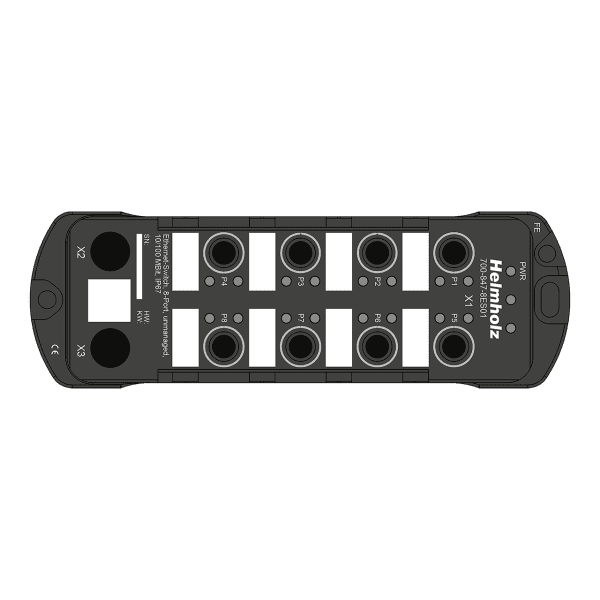
Ethernet-Switch IP67, unmanaged
Select options This product has multiple variants. The options may be chosen on the product page -

WiFi Antennas
Select options This product has multiple variants. The options may be chosen on the product page -
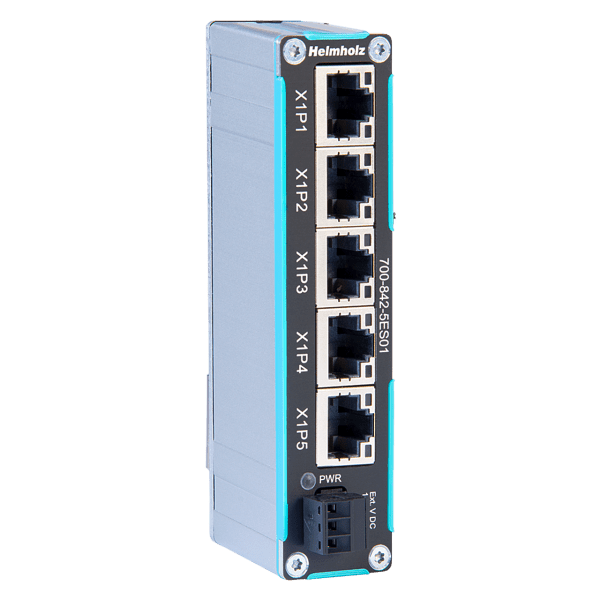
FLEXtra SLIM Ethernet-Switch unmanaged
Read more

Leave a Reply